
For iPhone and Android · in Arabic
Your money, in front of you
All your items on one board. Tap the item you spent on and type the amount, and what’s left in its tile goes down in front of you. No lists, no tabs, nothing to learn.
Your financial data stays on your device
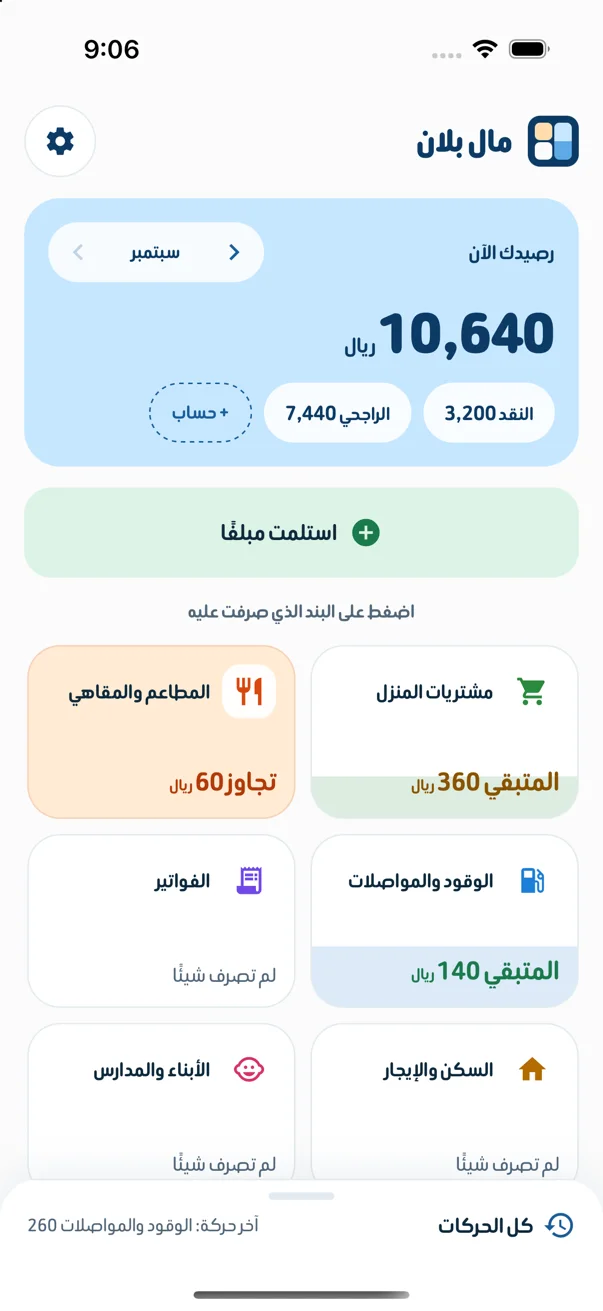
- 1screen with all your items
- 2taps: the item, then the amount
- 0lists or tabs to learn
Try it here
One tile tells you everything
The number in a tile and its colour tell you how its budget is doing, before you open anything.
Your balance
4,820SAR
Tap the item you spent on
- Tap any item on the board.
- Choose the amount, then tap Save.
- Watch what is left and your balance change in front of you.
- Within budget
- Running low: a quarter or less left
- Over budget
- No budget
A demo board in English; the app itself is in Arabic. The numbers are examples, not anyone’s data.
Two taps and it’s recorded
You don’t pick “expense”, then “category”, then “amount”. Your items are in front of you, and you record from the tile itself.
Tap the item
Your items are large tiles: groceries, restaurants and cafés, fuel and transport, bills. Tap the item you spent on.
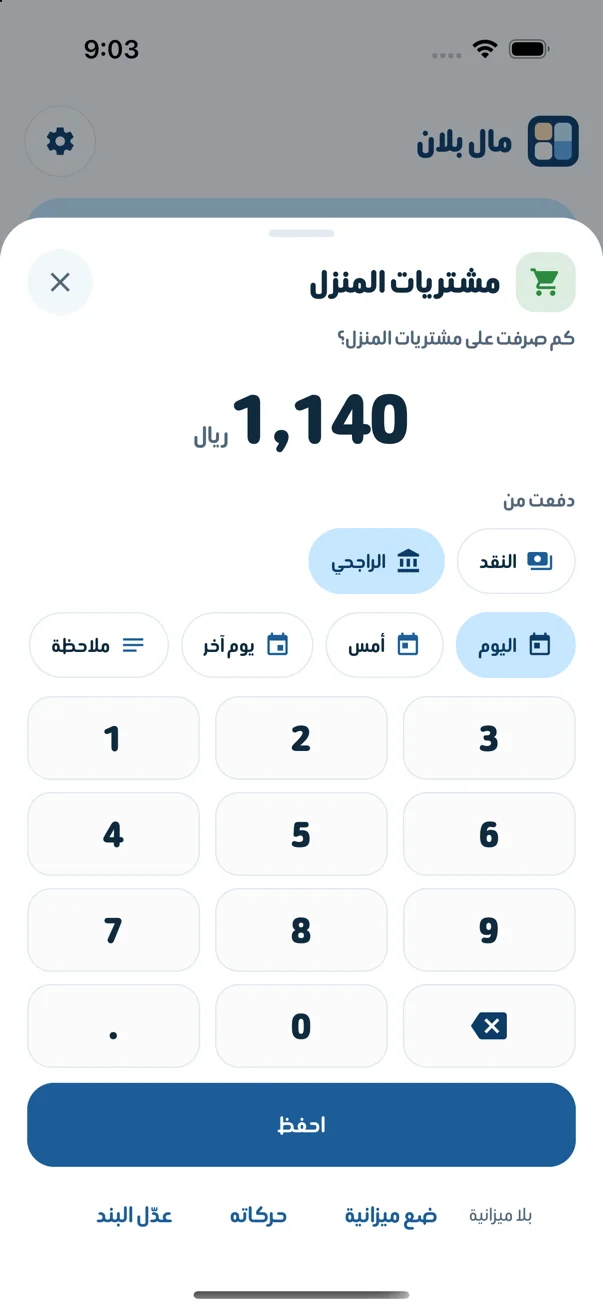
Type the amount
Type how much you spent, choose the account you paid from, then tap «احفظ» (Save). You can also change the day or add a note.
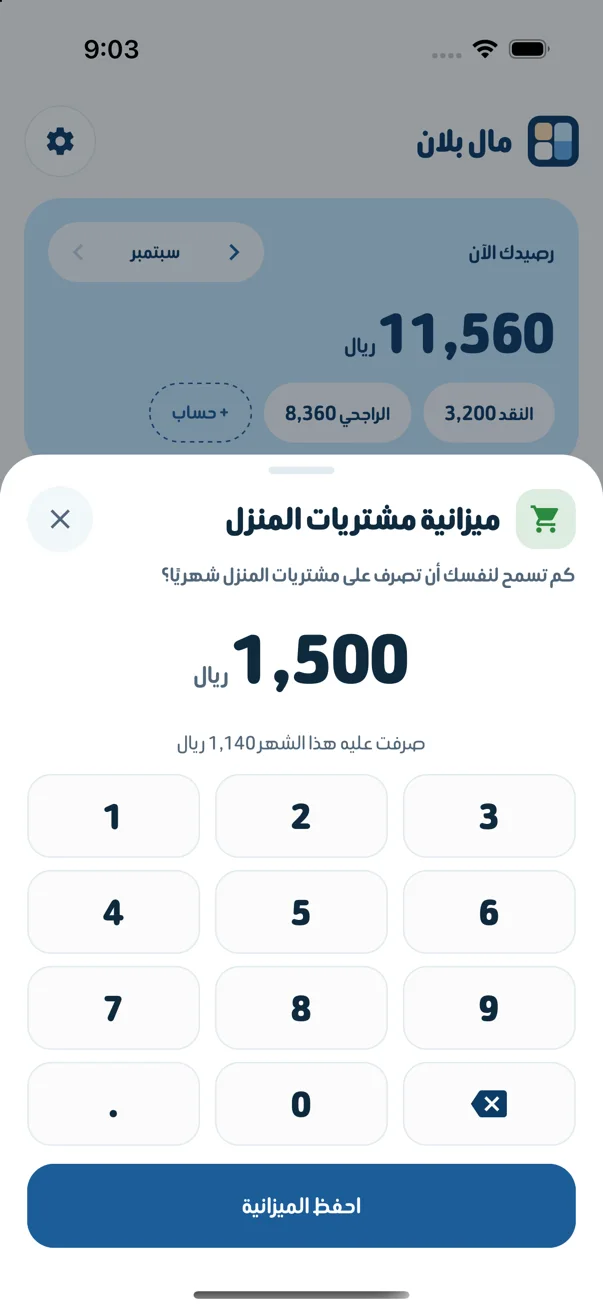
Follow your budget
Set a monthly amount for each item. What is left shows inside the tile and goes down as you spend.
And everything else you need
Money received
Record your salary or any money you receive, with where it came from and the account it went into.
Your accounts
Cash, bank and any other account, each with its balance in front of you. Move money between them.
All transactions
Grouped by day. Tap any transaction to edit or delete it.
Past months
Go back to any month and see where your money went.
Your balance is always right
You record “spent 85 on groceries”, and the app saves it as a transaction with two balanced sides (double entry), so not a single riyal goes missing.
- You never adjust the balance by hand; it is calculated from the starting balance and the transactions.
- Amounts are stored in halalas as whole numbers, so there are no rounding errors.
- A transaction is saved in full, or not at all.
- Cash
- −85.00
- Groceries
- +85.00
- Total
- 0.00
Your financial data stays on your device
Read the privacy policy- Amounts, items, accounts and transactions stay on your device. They are never sent to us or to anyone else.
- The app does not connect to your bank account. You type the amount.
- To sign you in we keep only your account data, such as your email and mobile number.
- We do not sell your data.
Start today
Get MalPlan and record your first expense in seconds.